Language
 United States
United States
United States
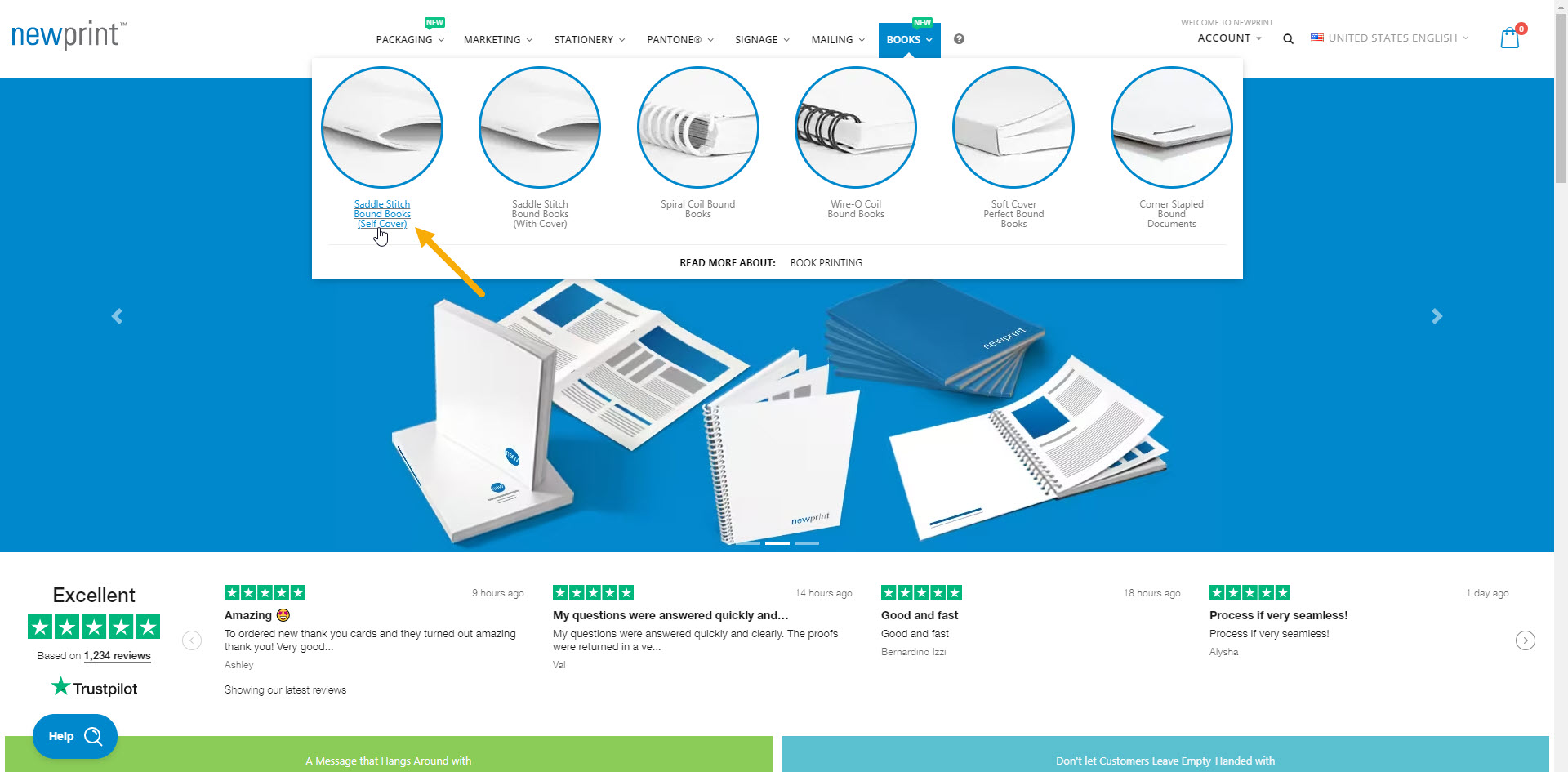
1. Go to main menu and choose Saddle Stitch Bound Books (Self Cover).
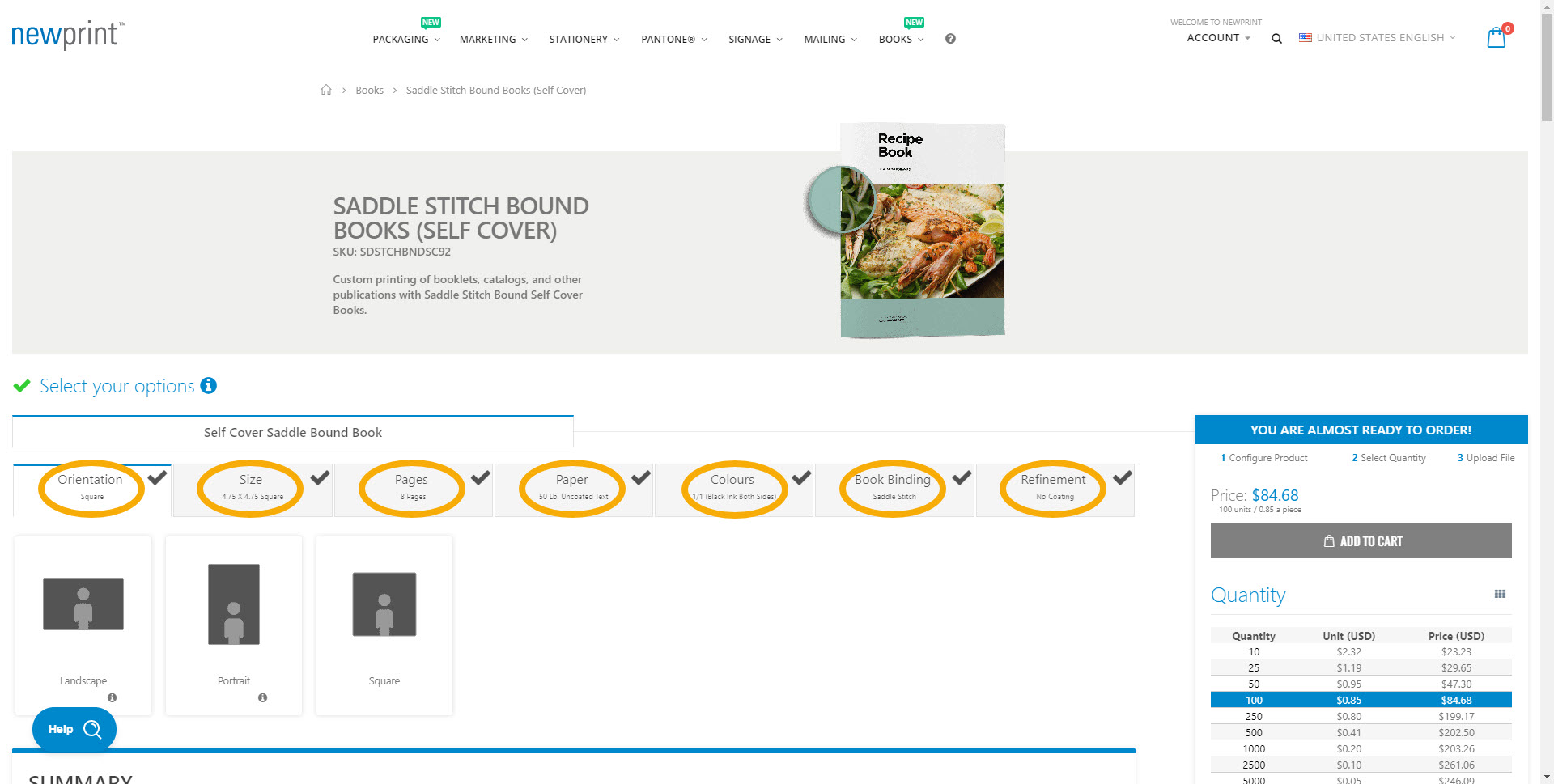
2. Make your selection for each of the product options.
On the 'Pages' tab, choose the total number of pages for your book. This includes the inside pages + 4 cover pages (2 outside cover pages and 2 inside cover pages).
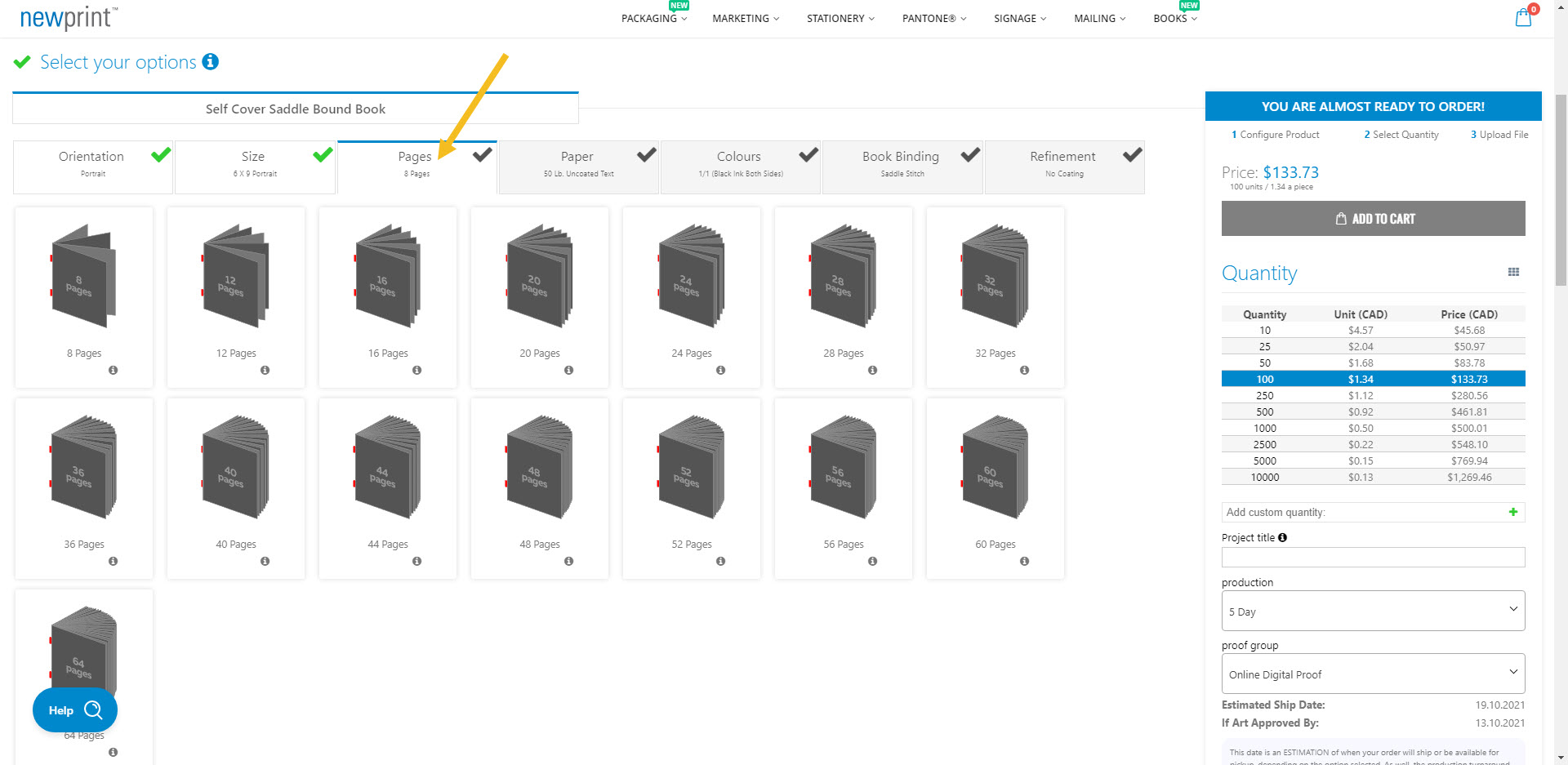
For example, if you have 20 inside pages and covers, you would choose '24 Pages' on the website.
3. Choose between a digital and a hard copy proof and select the print quantity.
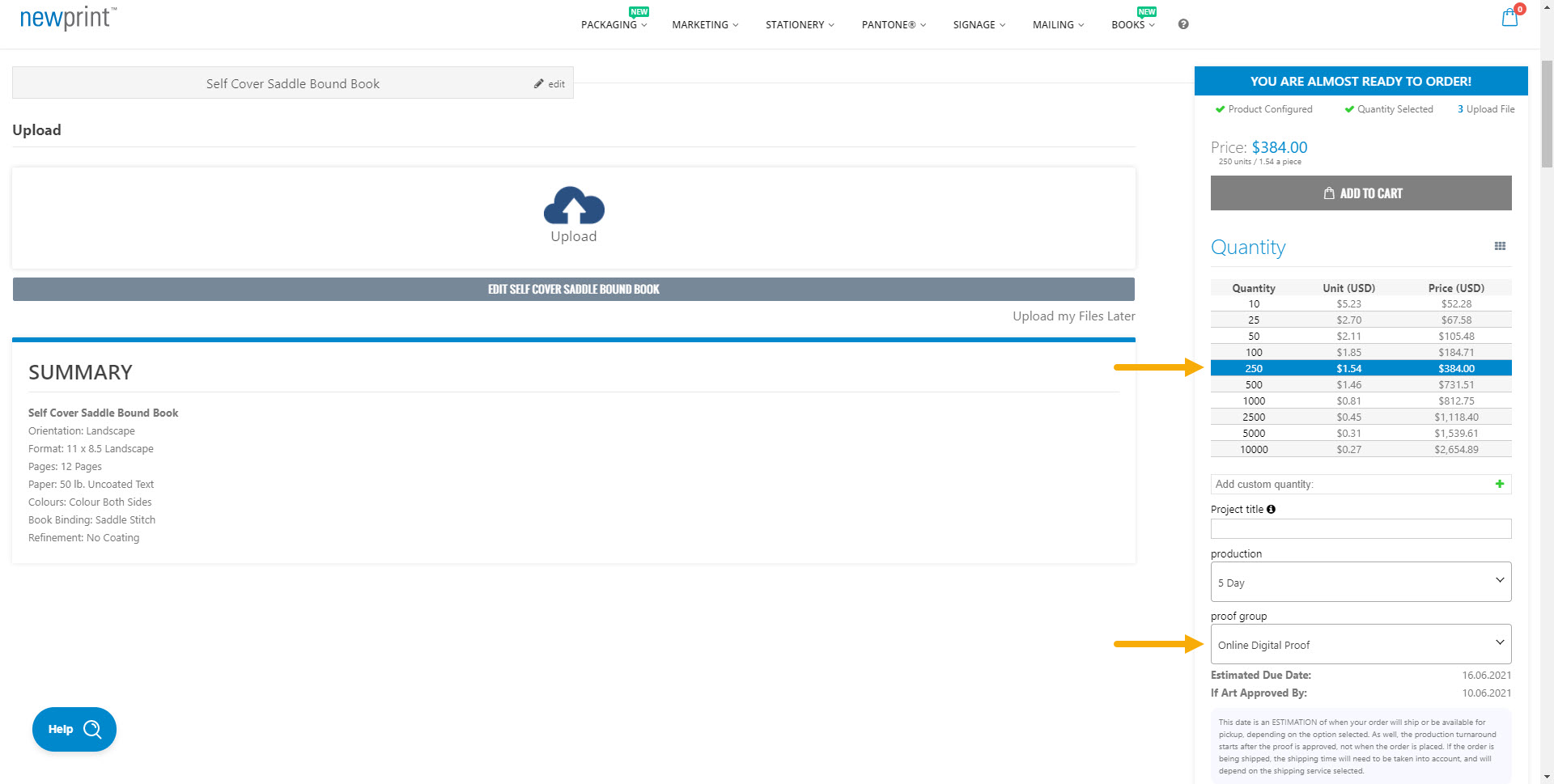
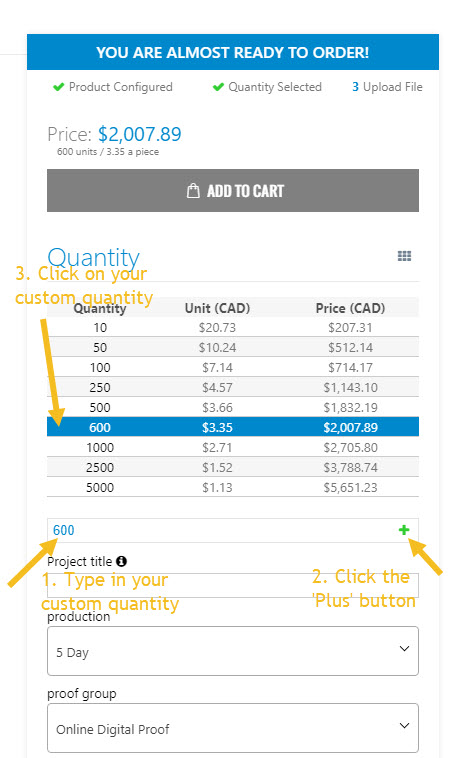
In case the print quantity that you need is not listed, you can input a custom quantity. Once you click the 'Plus' button and add your custom quantity, you need to click on it in the price calculator.
4. Upload your print-ready PDF file. Alternatively, you can choose to upload your file later.
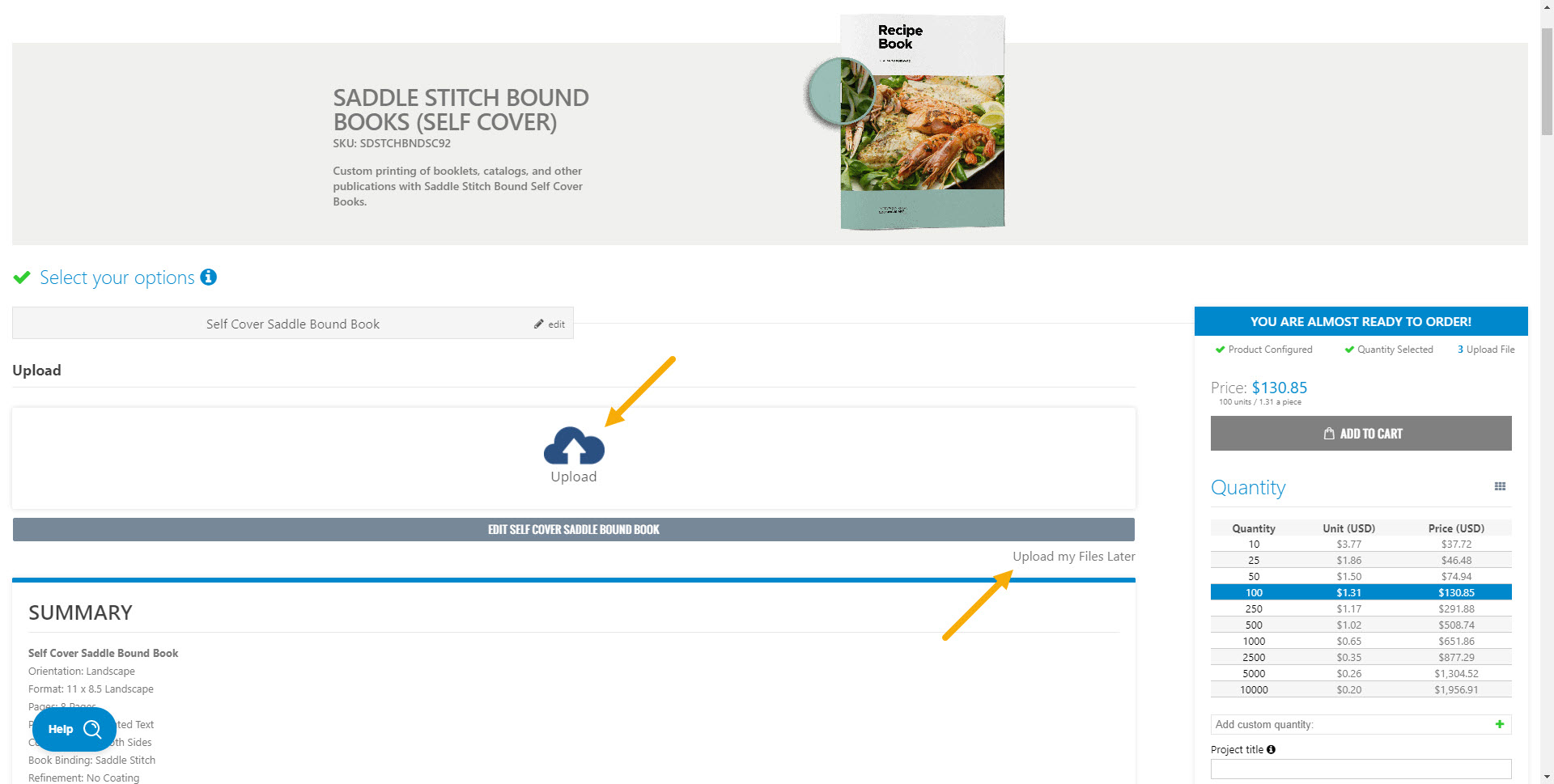
The first two pages of your PDF will be the front cover (outside and inside), and the last two pages will be the back cover (inside and outside).
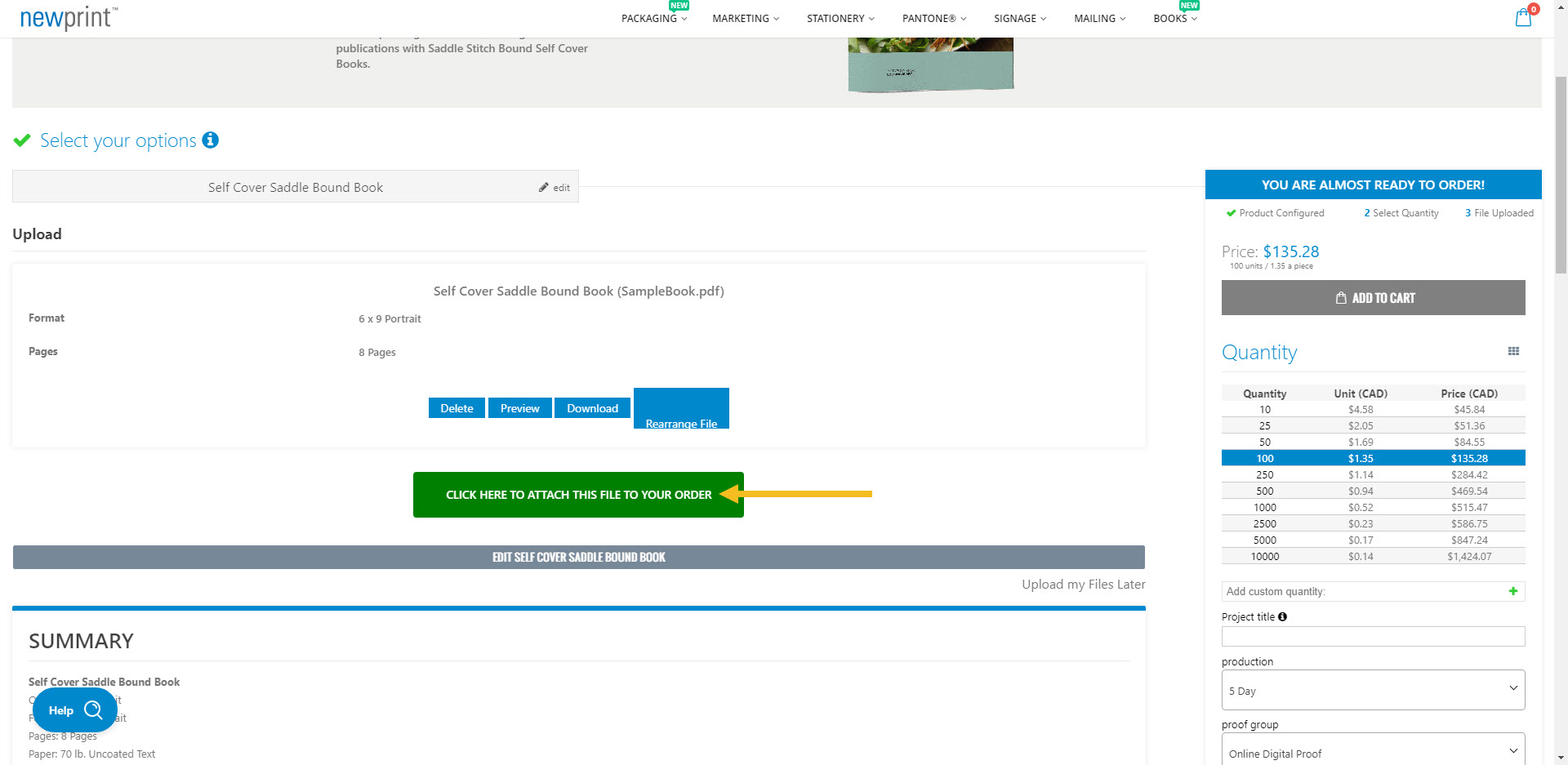
When you select your PDF file, click the green button to attach it to your order.
Read How To Export And Upload Files For Self Cover Saddle Stitch Books to ensure your files are set up properly.
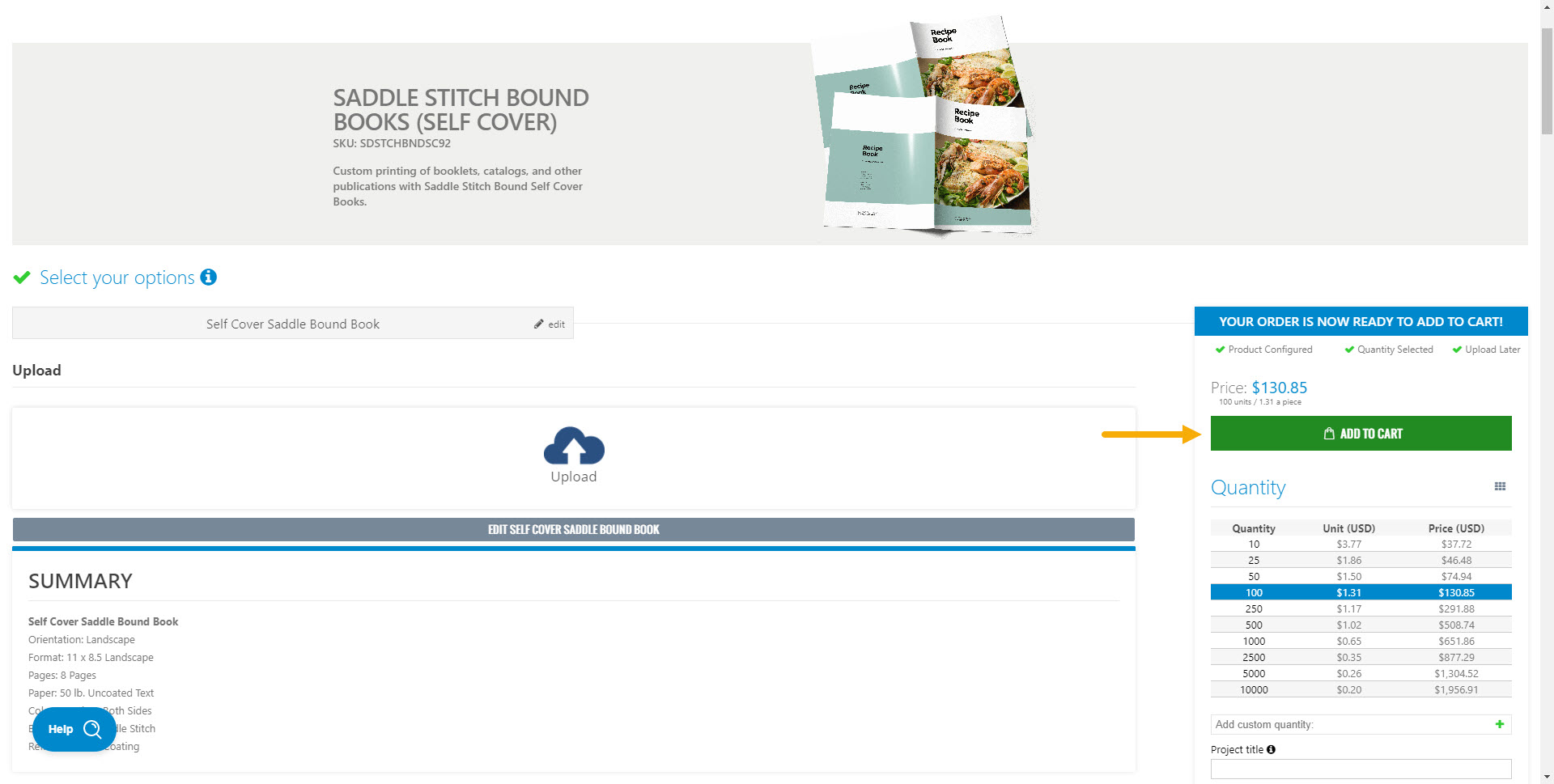
5. Click ‘Add To Cart'.
 Canada
Login and Registration Form
Get Started And Become the Next "Newprint's Best Customer"
For printing professionals looking for a wide selection of paper, printing, and related products, you have arrived at the perfect place. Sign up to explore all the options and be informed of all our offers.
If you are a printing broker reseller or purchasing agent, reach out to us to become a Certified Print Specialist.